What Is Interactive Learning? A Practical Guide for Better Online Courses
Interactive learning turns passive online training into active experiences with quizzes, scenarios and knowledge checks that help learners understand, remember and apply what they learn.
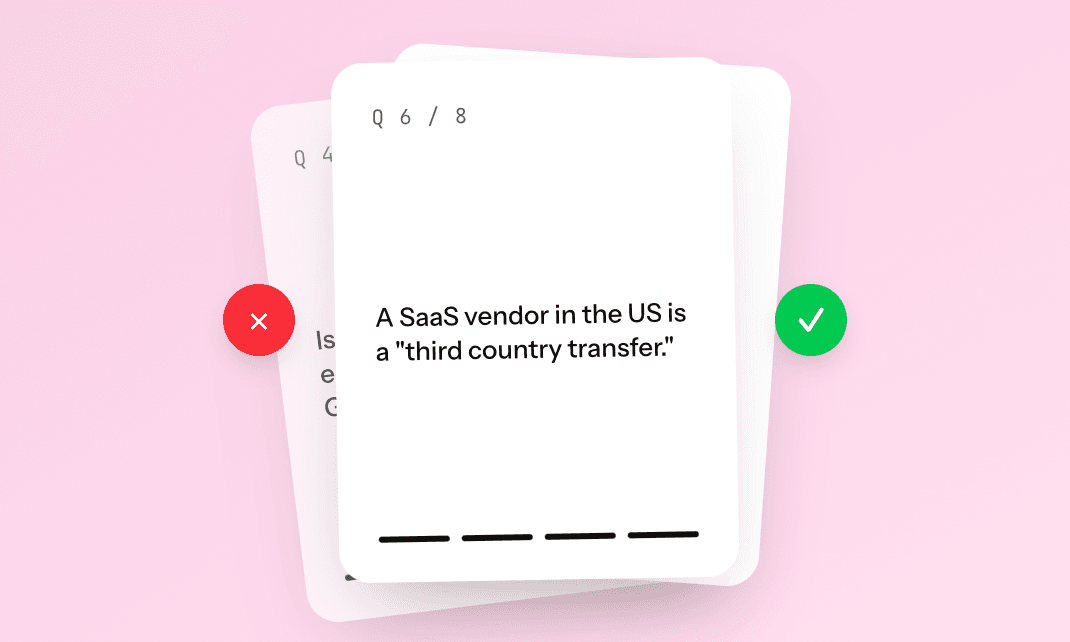
What Is Interactive Learning? A Practical Guide for Better Online Courses
Interactive learning is a learning approach where people do more than simply read, watch or listen. Instead, they take an active role in the learning experience by answering questions, making decisions, reflecting on real situations and applying what they have learned as they move through the course.
In online training, interactive learning can take many different forms, from quizzes and knowledge checks to scenarios, reflection prompts, swipe questions, simulations and practical decision-making exercises. What makes these formats valuable is not that they make a course look more dynamic, but that they turn passive content into active thinking.
That shift matters because most people do not learn effectively by reading information once and then moving on. They learn when they retrieve information, test their understanding, receive feedback and connect new knowledge to real situations. Research on active learning supports this. A widely cited study published in PNAS found that active learning improves performance compared with traditional lecture-based approaches, while research on retrieval practice published in Science shows that actively recalling information can strengthen long-term retention. You can read more about the research behind active learning in this PNAS study on active learning and this Science article on retrieval practice.
For companies, this is especially important because employee training is rarely just about helping people know something in theory. The real goal is to help employees follow processes, apply policies, understand products, handle customer situations and make better decisions in their daily work. Interactive learning helps close the gap between information and action.
What is interactive learning?
Interactive learning is a method of learning where the learner actively engages with the content instead of simply receiving it. A traditional online course might present information through long text sections, videos or slide-based modules, while an interactive course asks the learner to respond, reflect, choose or practise along the way.
For example, a passive data privacy course might tell employees that they should never share confidential customer information in unauthorized tools. An interactive version would place the learner in a realistic workplace situation and ask what they would do if a colleague wanted to upload customer data into a public tool to save time. That small difference changes the entire learning experience, because the learner is no longer just reading a rule. They are practising a decision they may need to make at work.
This is why interactive learning is so valuable in employee training. It turns company knowledge into something employees can understand, remember and apply. A document can explain a rule, but an interactive course can help people understand what that rule means in practice.
Why interactive learning works
Interactive learning works because it supports the way people actually build understanding. When learners are asked to answer a question, make a choice or explain their reasoning, they engage more deeply with the material than they would if they were only reading or watching.
One of the most important learning principles behind this is retrieval practice. When learners actively recall information, they strengthen their ability to remember and use it later. This is why a short quiz, a knowledge check or a scenario is not just a way to test whether someone paid attention. It can also become part of the learning process itself.
In workplace training, this matters because employees often need to apply knowledge in situations that are not perfectly clear. They may need to decide whether to escalate a customer issue, how to handle personal data, how to respond to a security risk or how to explain a product feature. Interactive learning gives them a safer space to practise those decisions before they face them in real life.
Good interactive learning is therefore not about adding buttons, animations or quizzes for the sake of it. It is about designing moments where the learner has to stop, think and apply the content in a meaningful way.
Interactive learning vs passive learning
The easiest way to understand interactive learning is to compare it with passive learning. Passive learning usually gives the learner information without asking them to do much with it. That could be a PDF, a recorded presentation, a slide deck or a long text-based course. These formats can be useful for sharing information, but they often do not create enough engagement to make the learning stick.
Interactive learning asks the learner to participate. Instead of only explaining a process, it asks what the learner would do next in a specific situation. Instead of only listing company values, it asks which value applies to a realistic customer scenario. Instead of only describing a security policy, it asks the learner to identify which action could create a risk.
That difference is important because most workplace learning is not only about awareness. Employees need to know how to act. When training includes realistic decisions, practical examples and feedback, it becomes much easier for learners to connect the course to their own work.
Examples of interactive learning
Interactive learning does not have to be complicated to be effective. In many cases, small interactive moments can make a course much more useful. A simple knowledge check after an important section can help learners confirm that they understood the key point. A short scenario can help them apply a policy to a realistic situation. A reflection prompt can help them connect the content to their own role, team or daily tasks.
In onboarding, interactive learning might ask a new employee how they would respond to a customer request, where they would find a specific internal resource or what the next step in a process should be. In compliance training, it might ask the learner to identify which action creates a GDPR risk. In product training, it might help a sales or support team practise how to explain a feature, answer a customer question or handle a common objection.
The strongest examples of interactive learning are always connected to the learner’s real work. A generic quiz may check whether someone remembers a definition, but a realistic scenario helps them understand how that knowledge applies in practice. This is why interactive learning is especially useful for employee training, customer education, onboarding, product enablement and compliance.
Why interactive learning matters for employee training
Most companies already have a lot of valuable knowledge. It lives in documents, slide decks, policies, internal wikis, product guides, process descriptions, onboarding material and customer support scripts. The problem is that information alone does not automatically become learning.
A policy can explain what employees should do, but that does not mean they will remember it or know how to apply it months later. A product guide can describe a feature, but that does not guarantee a sales team can explain the value clearly to a customer. A process document can outline the correct workflow, but employees may still struggle to follow it in a busy workday.
That is the difference between storing knowledge and creating learning. Saga’s guide on how to turn company knowledge into employee training with AI explains this challenge in more detail: companies often already have the knowledge they need, but it stays trapped in static formats instead of becoming structured, practical training.
Interactive learning helps solve that problem by turning information into action. Instead of asking employees to read a long document and remember everything, an interactive course can guide them through the key ideas, ask them to make decisions and help them practise how the knowledge should be used. This makes training more useful for the learner and more valuable for the company.
What makes an online course interactive?
An online course becomes interactive when learners are asked to do something meaningful with the content. That does not mean every page needs a quiz, and it does not mean every course needs complex simulations. In fact, too much interactivity can make a course feel heavy if it is not designed with a clear purpose.
The best interactive courses are balanced. They explain the content clearly, then add interaction at the moments where the learner needs to understand, remember or apply something important. A strong course usually starts with a clear learning goal, because the interaction should support what the learner needs to be able to do after completing the course.
If the goal is to help employees identify phishing emails, the course should not only describe what phishing is. It should show examples and ask learners to decide which emails look suspicious. If the goal is to help employees apply a company policy, the course should not only repeat the policy. It should show realistic situations and ask learners how they would respond.
Feedback is also essential. A question only becomes a learning moment when the learner understands why an answer is right or wrong. Good feedback explains the reasoning behind the answer and helps the learner apply the same thinking later. Reflection can also make a course more effective, especially when learners are asked to connect the content to their own work. A simple question such as “Where might this situation appear in your daily tasks?” can help make the learning more personal and practical.
Interactive learning and AI course creation
Interactive learning has traditionally taken a lot of time to create. Building useful scenarios, writing quiz questions, structuring course flows and adding meaningful feedback often required instructional design experience and manual authoring work. For many HR teams, L&D teams, consultants and subject-matter experts, that made interactive courses difficult to produce at scale.
AI course creators are changing that workflow. Instead of starting from a blank page, teams can begin with existing material such as a PDF, PowerPoint, policy, guide, prompt or internal process description. An AI course creator can help turn that material into a structured course draft with sections, questions, scenarios, reflection prompts and knowledge checks.
This does not remove the need for human review. The best courses still need subject-matter expertise, editing and quality control. People need to check that the examples are accurate, the tone fits the audience and the learning experience feels relevant. But AI can remove much of the blank-page work and help teams get to a strong first draft faster.
Saga’s article on what AI-native learning is and why it matters explores this shift in more detail. AI-native learning is not just about adding AI as a small feature to an old workflow. It is about rethinking how training is created, updated and improved from the beginning.
For interactive learning, this shift is especially important because the most valuable parts of a course scenarios, questions, feedback and reflection, are often the parts that take the longest to create manually. AI can help generate the foundation, while humans refine the final learning experience.
Interactive learning in AI authoring tools
Traditional authoring tools can be powerful, but they often require more manual setup, design work and technical knowledge. For experienced learning teams, this can work well, but for smaller teams or subject-matter experts who need to create training quickly, it can become a bottleneck.
AI authoring tools offer a different starting point. Instead of asking teams to build every course from scratch, they help transform existing knowledge into course content faster. Saga’s guide on AI authoring tools vs traditional authoring tools explains this difference clearly: traditional tools often begin with an empty course canvas, while AI authoring tools can begin with the knowledge a company already has.
That distinction matters because companies do not only need more training content. They need learning experiences that help people understand and use the content. A PDF can explain a process, but an interactive course can help employees practice that process. A slide deck can introduce a product, but an interactive course can help a sales team respond to customer questions. A policy can describe expected behavior, but an interactive course can help employees make the right decision when a situation is unclear.
This is why interactive learning is becoming a central part of modern course creation. It helps teams move beyond static content and create training that feels more practical, relevant and useful.
How to create interactive learning content
Creating interactive learning content becomes much easier when you start with one simple question: where should the learner stop and think? This question helps you identify the moments where interaction can make the biggest difference.
The first step is to define the learning outcome. Instead of setting a broad goal such as “understand the data privacy policy,” it is more useful to define what the learner should be able to do, such as “identify when customer data should not be shared.” A practical outcome makes it easier to design meaningful questions, examples and scenarios.
Once the outcome is clear, the next step is to look for decision points in the material. Most workplace training includes moments where employees need to choose what to do. They may need to decide whether to escalate an issue, share a file, approve a request, follow a process or ask for help. These moments are ideal for interactive scenarios because they reflect the real decisions employees face at work.
Important information can then be turned into questions. Instead of only writing that employees must use approved systems for customer data, the course can ask which system is appropriate in a specific situation. This helps learners retrieve the information and apply it, rather than simply reading it.
The final step is to add feedback that explains the reasoning behind the correct answer. The goal is not just to tell learners whether they were right or wrong. The goal is to help them understand why one choice is better than another, so they can use that reasoning later.
When interactive learning is designed this way, it becomes more than a set of quiz questions. It becomes a practical learning experience that helps people connect knowledge to action.
What to look for in an interactive learning tool
If your team wants to create interactive online courses, the right tool should make the process easier, not more complicated. A strong course creation tool should help you turn existing documents, prompts or slide decks into structured training, while making it simple to add quizzes, knowledge checks, scenarios and reflection questions.
It should also give you the flexibility to edit the course, adjust the tone, apply your brand and update the content when your knowledge changes. This matters because company knowledge is not static. Products change, processes change, policies change and teams grow, so training needs to be easy to update.
Saga’s article on the best AI course creators in 2026 explains what teams should look for when choosing a course creation tool, including ease of use, interactivity, branding, privacy and multilingual support. The best tool is not the one that simply creates the most content. It is the one that helps teams create learning people can actually complete, remember and use.
Common mistakes in interactive learning
Interactive learning is effective when it is designed with purpose, but it can quickly become distracting if interactions are added without a clear reason. A quiz is only useful if it helps the learner understand or apply something important, and a clickable element only adds value if it supports the learning goal.
Another common mistake is making courses too long. Interactive learning should make training clearer and more useful, not heavier. If a course includes too much content and too many activities, learners may lose focus before they reach the most important points.
Generic scenarios can also weaken the learning experience. Scenarios work best when they feel realistic and relevant to the learner’s work. A GDPR example for a customer support team should feel different from one designed for a finance team, because the situations, decisions and risks are not always the same.
Weak feedback is another missed opportunity. If learners only see “correct” or “incorrect,” they may not understand the reasoning behind the answer. Strong feedback explains why the answer matters and how the same principle applies in real situations.
Finally, many courses test memory but not application. In workplace training, it is often more useful to ask what someone would do in a realistic situation than to ask them to repeat a definition. The goal is not only to check whether learners remember the content, but whether they can use it.
The future of interactive learning
The future of online learning is not more static content. It is more practical, active and adaptive learning experiences that help people use knowledge, not just consume it.
As companies need to train employees faster, update knowledge more often and create better courses with fewer resources, interactive learning will become even more important. AI course creators make this shift easier by helping teams turn existing knowledge into structured, engaging learning experiences without starting from scratch every time.
The goal is not to make every course more complicated. The goal is to make every course more useful. Interactive learning helps employees move from reading information to understanding it, applying it and using it confidently in their work.
Turn static content into interactive learning with Saga
Most companies already have the knowledge they need. It lives in documents, slide decks, policies, product guides and internal processes, but it often needs to be transformed before it becomes useful training.
Saga helps teams turn existing knowledge into interactive online courses with structure, questions, scenarios, reflection prompts and knowledge checks. Instead of starting from a blank page, you can create training from a prompt, PDF or PowerPoint and turn it into learning that feels practical from the start.
If your training still lives in static documents, now is the time to make it interactive. Create courses people actually want to complete with Saga.
Learning in the Flow of Work: What It Means and Why It Matters
Learn what learning in the flow of work means, why it matters for employee development, and how companies can make workplace learning easier to access, apply and update.
Why Employee Training Goes Out of Date So Fast
Employee training content can become outdated faster than you think. Learn why training materials go out of date and how to keep workplace training accurate, relevant and useful.
The Hidden Cost of Slow Course Creation
Slow course creation costs more than time. Learn how long eLearning development can affect productivity, training quality and knowledge sharing, and how AI can help.
Get the occasional good email.
New writing on AI, learning design and building Saga — roughly twice a month. No spam, unsubscribe anytime.